Changelog

Connect your tools, and try AI help

Let trusted tools read and manage events, members and more, and ask about early AI assistance.
Connect your tools, and try AI help

Connect other tools

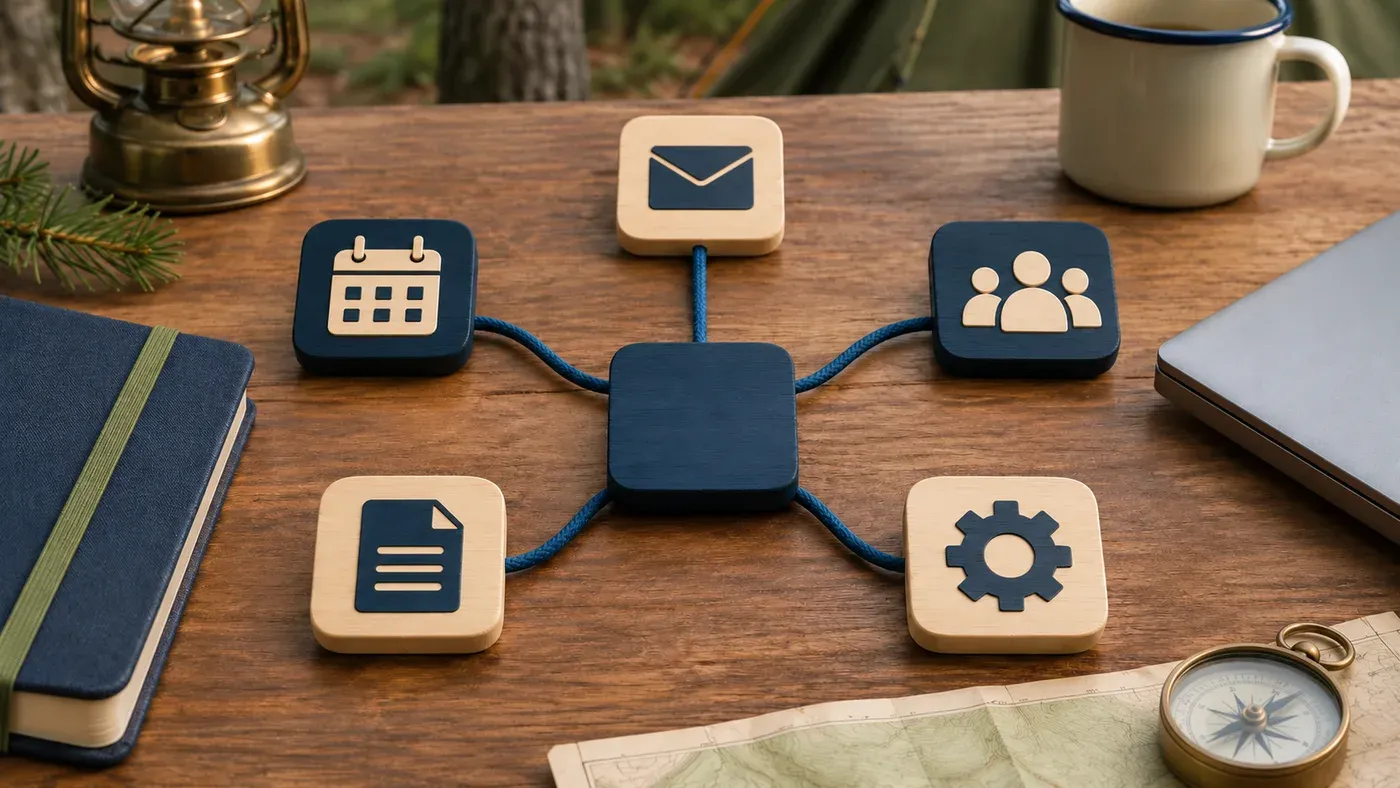
Administrators can create an API key and connect an MCP-compatible assistant to TroopBook. You choose exactly what each key can do, and it never goes beyond your own role.

  • Events and locations: Read and update events and saved locations, and upload website images. New events always start as drafts, and nothing is deleted permanently.
  • Members and profile answers: Look up members, groups and families, and fill in custom member fields in reviewed batches, with a preview before anything is saved.
  • Website pages and menus: Read, create and update pages and menus, which is handy for moving content from an old site.
  • Registrations and money, read-only: Pull event registration lists with member access, and read Money records when you grant that permission separately.

Money access is never included by default, and member updates are audited.

See Integrations to create a key.

AI assistance, by request

TroopBook also includes an in-app AI assistant that uses many of the same tools. It can look up members and groups, find your communications and website pages, and draft a message or page for you to review. It only creates drafts and never publishes or sends on its own.

It's still in early testing, so it's off by default. If you'd like to try it for your organization, email [email protected].

Communications you can trust

Test before you send, tidy your history, and send from your own email server.
Communications you can trust

Sending to the whole troop is high stakes. These updates help you get it right.

  • Send yourself a test: Preview exactly what families will receive, on your phone and your computer, before the real send.
  • Archive instead of delete: Move old communications out of the way while keeping their delivery history. Restore one any time. Archiving doesn't recall a message that's already gone out.
  • Images stay the right size: Photos in your emails keep their sizing, and draft saving and previews are more dependable.
  • Send from your own email server: Administrators can set up custom SMTP so messages come from your organization's sending setup.
  • Notices that reach the right people: Payment and registration notices go to the intended audience, and the review step shows who will be skipped and why.

"Sent" means your email provider accepted the message, not that it reached an inbox. Check failures before you resend.

See Communications.

Advancement paperwork, simplified

Approve Adventures from a paper roster sheet and send approved advancement to ScoutBook+ with a file.
Advancement paperwork, simplified

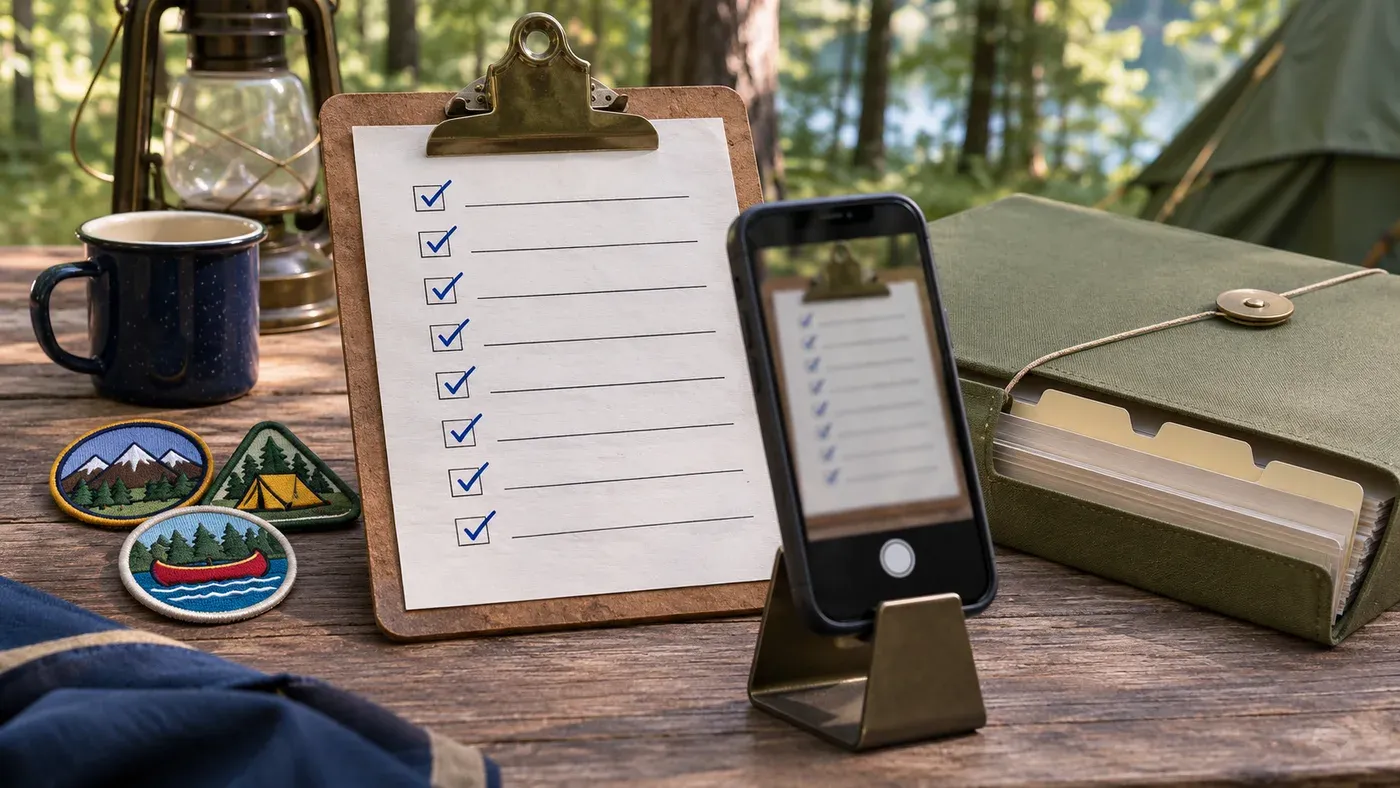
Many dens still run on paper. Now that paper can feed straight back into TroopBook.

Paper sheets at your meeting

  • Print a roster sheet for each den, optionally with an Adventure on it.
  • Mark it up during the meeting.
  • Photograph the page and TroopBook suggests who was checked off. You review uncertain marks, match any handwritten additions to existing Scouts and confirm the completion date.

A photo never approves anything by itself. You always review before approving.

Reporting to ScoutBook+

  • Pick what's ready: Choose approved advancements, with blocked rows explained so you can fix them first.
  • Download and upload: Download a file and upload it to ScoutBook+.
  • Record the outcome: Note what ScoutBook+ accepted, and download a past file again from your export history.

This is a file you upload yourself, not automatic synchronization.

Requires advancement to be enabled for your organization.

See Roster sheets and ScoutBook+ files.

Plan and track Cub advancement

Den boards, a year plan and approvals that connect your meetings to Adventure progress.
Plan and track Cub advancement

Advancement lives in a lot of places: notebooks, spreadsheets and ScoutBook+. This brings the day-to-day work into TroopBook for Cub Scout dens.

  • Den boards: See each den at a glance: what needs approval, what's ready to award and who's ready for rank.
  • A year plan: Lay out the Adventures a den will work on and when.
  • Sign off after events: Tie a planned Adventure to an event, then review who participated and confirm completions together.
  • Approval and presentation, kept separate: Recording progress, approving an Adventure and presenting an award are distinct steps, so nothing is marked done too early.
  • Bring in your history: Preview ScoutBook+ advancement history, resolve any conflicts, and import it into TroopBook. Existing records are never silently overwritten.

Den Leaders work within their own den. The Advancement Chair works across the pack.

Advancement is currently available to Cub Scout organizations with it enabled. Ask us to turn it on for yours.

See Advancement.

Scout fundraising

Give every Scout a personal link, QR code and printable flyer, and track what each one raises.
Scout fundraising

Popcorn sales, campaigns and annual drives are easier when every Scout can share a link.

  • Personal links: Each Scout gets a fundraising link supporters can use to give online. Share it from the roster or from the family's account.
  • QR codes and flyers: Print a flyer with the Scout's QR code to hand out or post. Public pages show only the Scout's preferred given name.
  • Offline gifts too: Record cash and checks so a Scout's total reflects everything raised.
  • A clear report: See per-Scout totals, search and sort them, and export a CSV.

Fundraising totals count what was raised. They don't automatically become spendable program credit; award credit separately if your organization chooses to.

Fundraising is turned on per organization and online gifts need a connected Square account.

See Fundraising.

Treasurer tools

Track spending, receipts and reimbursements alongside the money coming in.
Treasurer tools

Collecting money is half the job. These tools cover where it goes.

  • Expenses with receipts: Record what the organization spent, attach the receipt, and tag it with a category or event.
  • Reimbursements: Parents and volunteers can submit their own requests, with receipts and a payout preference, from their account. Treasurers review, approve and pay, and everyone can see where a request stands.
  • Your actual accounts: Set up cash and bank accounts so every deposit and payment lands where it really went.
  • Other income: Record money that isn't a member payment, like a donation or a sponsor's check.
  • Square payouts: See each Square payout and match it to the bank account that received it, so card payments aren't counted twice.

These tools are part of the treasurer ledger, which is turned on per organization. Administrators and the Treasurer role can use them.

See Money and Family payments.

Event registration, start to finish

Open registration to everyone or just your members, take payment, and handle changes with confidence.
Event registration, start to finish

Camporees, banquets and fundraisers need a real participant list. TroopBook registration handles sign-up, payment and the inevitable changes.

  • Public or members only: Anyone with the link can register for a public event. Private registration is for signed-in families and permitted guests, who register linked family members together.
  • Capacity and add-ons: Set opening and closing times, limits, and optional add-ons. Spots are held briefly while someone checks out.
  • A home for families: My account → Events shows each family's registrations.
  • Cancellations and refunds that make sense: Cancel a registration, a participant or an add-on, then resolve the payment as a separate step so money is never returned twice.
  • Clear notices: Registration emails are prepared for the right audience, and you can see their status on each registration.
  • Download the list: Export registrations to a CSV for check-in or planning.

Registration with payment needs Money and a connected Square account for your organization.

See Event registration.

Collect dues and payments online

Charge dues, send payment reminders and let families pay and find receipts in one place.
Collect dues and payments online

Collecting dues, fees and event costs no longer has to live in a spreadsheet and a pile of text messages.

For treasurers

  • Create charges and track who owes: Charge a group of members at once, then see who has paid and who hasn't.
  • Send reminders that work: Choose whether families get a link to sign in and pay, a secure payment link by email, or both. A review step shows who will receive a notice and who will be skipped, and why.
  • Record money received any way: Log cash and checks against the right charges, apply program credit, and reverse a charge without losing the history. Award credit to many Scouts at once from a reviewed CSV.
  • Export what you need: Download any collection as a CSV.

For families

  • One payments page: Signed-in families see what's due for each linked child, pay by card, and look up receipts.
  • Optional support for payment costs: Where offered, families can add a little extra to help cover the cost of online payments. It's shown separately and never changes the amount charged.

Availability

Money tools are turned on per organization, and card payments need a connected Square account. Treasurers and administrators manage payments; Money Viewers can read records without changing them. Ask us to enable Money for your organization.

See Money, Collections and Family payments.

Easier event planning and RSVPs

A cleaner event workspace, simpler RSVPs for families, and clearer cancellations.
Easier event planning and RSVPs

Planning an event and answering "are we going?" should both take less effort.

  • A tidier event workspace: The event page is split into focused areas, and the events list separates upcoming events from past ones.
  • Simpler RSVPs: Families have a more straightforward way to respond.
  • Cancelled means visible: If you cancel an event, its public page stays up and says so, so families with an old link see that plans changed rather than a dead page.
  • Calendar feeds you can rely on: Subscription feeds are steadier across Google, Apple and Outlook.
  • Dates that match your troop: Calendar and event dates now follow your organization's timezone, so events don't shift around midnight.

See Events and RSVP management.

A website that looks like yours

Brand your public site, add buttons, event cards and videos, and use your own domain.
A website that looks like yours

Your public site is often the first thing a new family sees. It's now easier to make it look like your troop.

  • One place for your look: Website → Appearance brings together your logo and name, colors and page layout. Add a site icon for browser tabs.
  • More than text: Add buttons, callouts, event cards, upcoming-event lists and supported YouTube or Vimeo videos right in the page editor.
  • See it as you edit: Blocks show a live preview in the editor, so you can check how they'll look before you publish.
  • Your own web address: Organizations with custom domains enabled can set up their own address with guided steps, and links to old pages can keep working after a move.

Custom domains need to be turned on for your organization. Check the status in Website → Domains to see what's left before your address is live.

See Website.

Rosters that fit your troop

Preferred names, your own profile questions, better filters and exports, and easier group leadership.
Rosters that fit your troop

Every troop tracks something a little different. This update makes the roster more useful for the questions you actually ask.

Names people recognize

Set a preferred name for a member and it shows up everywhere day-to-day, including rosters, groups, events, communications and advancement screens. The official name stays on record for formal exports, such as ScoutBook+ files.

Your own profile questions

Create custom member fields, like school, shirt size or volunteer skills. You decide who can see each answer and whether families can fill it in themselves from their profile. For choice questions, families can type a write-in, and managers can later match it to an existing choice or add a new one.

Work with the answers

Filter, add columns and group the roster by those answers. Export just the fields you choose, including a CSV for a specific group.

Easier to run

  • Group leaders: Assign leaders to a group directly from the group.
  • Registration dates: See expiry dates from a member's status badge, and filter by when members joined.
  • Better on a phone: Roster and member detail pages are easier to use on a small screen.
  • Smarter search: Current members now appear ahead of inactive ones.

See Members, Member fields and Groups.

Bring families on board

Invite whole rosters at once, and let parents sign in on your troop's own website.
Bring families on board

Getting every family signed in used to mean a lot of one-at-a-time invitations. Now it's something you can do in an afternoon.

  • Invite in batches: Choose the roster members you want to invite and send the invitations together from a dedicated page, instead of one at a time.
  • Families sign in on your website: Invitations and registration happen on your organization's own site, so parents land somewhere that looks like your troop.
  • Pick up where you left off: If someone starts accepting an invitation and gets interrupted, they can resume it later, and email verification is more dependable.
  • Know what's going on with an account: Each member's Account access section shows linked logins and invitations. When a sign-in doesn't work, the message explains why and what to do next.
  • Parents manage their own details: Families can review and update their profile and their children's information from My account.

Linking the right login to the right person matters, especially when adults share an email address. Check identity before you link.

See Members and Settings to get started.

Get your roster in, and keep it clean

Import from a spreadsheet, review changes before they happen, and spot differences from your official roster.
Get your roster in, and keep it clean

Starting from a roster should feel safe. These updates make importing more flexible and checking your work easier.

  • Import from your own spreadsheet: Bring in members and guardian links from a supported CSV. TroopBook shows possible matches with people you already have, so you decide before anything changes. A member who is missing from the file is never deactivated automatically.
  • Setup that follows your program: Your organization's program type now shapes the labels and starting structure, so dens, patrols and other groups are named consistently from the start.
  • A safer look before you commit: Official roster imports show a clear preview of what will be added or updated, with counts that match what happens next.
  • Spot differences quickly: Roster reconciliation and relationship reports highlight where your imported roster and your TroopBook records disagree, and how youth and guardians are linked.

Review your program in Settings → Organization before your first import.

Read the Custom CSV import and Import overview guides.

The right access for every helper

Give your treasurer, membership coordinator, advancement chair and den leaders exactly the access their job needs.
The right access for every helper

Most troops share the load across several adults. TroopBook now lets you match dashboard access to those jobs instead of choosing between "member" and "full admin."

  • Roles for the jobs people actually do: Assign Treasurer, Money Viewer, Membership Coordinator, Advancement Chair or Den Leader to the right adult.
  • Den Leaders stay in their den: A Den Leader can record and approve advancement and take attendance for the group they lead, without seeing the rest of the organization.
  • One place to manage it: Review who has access under Settings → Organization → Access, and see pending invitations and linked logins together on the Users page.

Revoking a role doesn't change someone's leadership position or group membership, so you can adjust access without rewriting your roster.

See Settings for what each role can do.

Calendar imports and clearer member status

Bring existing events into TroopBook and keep active and inactive roster records distinct.
Calendar imports and clearer member status
  • Import events: Start with a calendar file or supported CSV, review the events, and configure the import before adding them to your organization.
  • Keep membership history: Mark members inactive without deleting their records. Roster filters make it easier to work with current members while keeping past information available.
  • Groups terminology: Dens, patrols and other teams now live under Groups in the dashboard.

See Events and Groups to get started.

Bring Your Roster With You

Import your troop's member data from Scoutbook and other systems. Better previews, smarter matching, and fewer headaches.
Bring Your Roster With You

Switching to a new system shouldn't mean re-entering everyone's information by hand. We've completely rebuilt the import experience.

What's New:

📋 Improved Preview: See exactly what will happen before you commit. The preview shows new members, updates to existing records, and any potential issues—all clearly organized.

🔍 Smarter Matching: TroopBook now does a better job recognizing when an imported record matches someone already in your roster. Fewer duplicates, cleaner data.

🏕️ Group Detection: Importing from Scoutbook? TroopBook automatically detects patrols, dens, and other groups from your data and creates them for you.

📊 Clear Change Summary: See at a glance how many members will be added, updated, or unchanged. Understand the impact before you import.

⚠️ Better Error Handling: When something doesn't look right—missing emails, unusual data—you'll see clear warnings with suggestions for how to fix them.

Supported Sources:

  • Scoutbook Plus exports
  • My.Scouting roster downloads
  • Legacy Scoutbook exports
  • Generic CSV files with member data

Why It Matters:

Your roster is the foundation of everything in TroopBook. A smooth import means you can start using events, communications, and all the other features right away—with accurate data from day one.

See Import your roster.

Share the Workload

Give trusted parents and leaders access to help manage your troop—without handing over the keys to everything.
Share the Workload

Running a troop is a team effort. Now TroopBook makes it easier to share the work.

What's New:

👥 Member vs. Admin Access: Not everyone needs to see everything. Regular members see their own information and troop-wide content. Admins get the management tools to run the show.

🔓 Invite Helpers: Promote trusted parents so they can help manage events, send communications, or update the roster. Delegate without worry.

🛡️ Right-Sized Permissions: Members see what's relevant to them. Leaders see what they need to lead. It's access that makes sense.

Why This Matters:

Before this update, the dashboard was mostly an admin-only zone. Now, you can open up TroopBook to more of your leadership team. The parent who coordinates campouts can manage events. The committee chair can send announcements. Everyone contributes without stepping on each other's toes.

What's Coming:

This is the foundation for even more granular roles in the future—like dedicated event coordinators, communication managers, or advancement chairs. We're building toward a system where you can match TroopBook access to how your troop actually operates.

See Settings.

Find Anything Fast

One search box to find any member, event, page, or communication. Stop clicking through menus—just search.
Find Anything Fast

When you need to find something in your troop's data, you shouldn't have to remember which section it's in.

What's New:

🔍 Global Search: One search box that looks across everything—members, events, website pages, and communications. Press a shortcut key or click the search icon, type what you're looking for, and go.

⚡ Instant Results: Results appear as you type. Find the right person, event, or page in seconds, not minutes.

🎯 Smart Matching: Search finds what you mean. Looking for "Smith"? See all the Smiths. Looking for "campout"? See upcoming campouts and past ones too.

📂 Organized Results: Results are grouped by type so you can quickly scan members, events, or pages. Jump directly to what you need.

Use It For:

  • Finding a scout's contact info without browsing the roster
  • Locating that campout from a few months ago
  • Jumping to a website page you need to edit
  • Tracking down an email you sent last week

How to Use It:

Look for the search icon in the dashboard sidebar, or use the keyboard shortcut to open search instantly. Start typing, and TroopBook does the rest.

Your Troop's Public Website

Give your troop or pack a professional web presence. Share events, news, and information with families and the community—no coding required.
Your Troop's Public Website

Every troop deserves a website, but not every troop has a web developer. Now you don't need one.

What's New:

🌐 Your Own Troop Website: Get a professional public website for your troop or pack. Share information with current families, prospective members, and your community.

✏️ Easy Page Editor: Create and edit pages with a visual editor. Add text, images, and formatting without touching any code. Changes save automatically as you work.

🖼️ Media Library: Upload photos and images to use across your site. Resize and organize your media in one place.

📅 Public Events: Choose which events to display publicly. Prospective families can see what your troop is up to without needing an account.

🔍 Built-in Search: Visitors can quickly find information across all your pages and events with full-text search.

📱 Mobile-Ready: Your site looks great on phones, tablets, and desktops. No extra work required.

Perfect For:

  • Welcoming prospective scout families
  • Sharing your troop's mission and leadership
  • Posting public event schedules
  • Providing joining information and contacts
  • Showcasing your troop's activities and achievements

See Website.

Your Calendar, Your Groups

Subscribe to troop events in your favorite calendar app—and only see the events that matter to you. No noise, no clutter, just your schedule.
Your Calendar, Your Groups

There are plenty of tools that let you publish a calendar. But they usually give everyone the same firehose of events. TroopBook does it differently.

What's New:

📅 Personalized Calendar Feeds: Subscribe to your troop's events in Apple Calendar, Google Calendar, Outlook, or any app that supports iCal. Events show up automatically and stay in sync.

🎯 Only Your Groups: Here's what makes it special—your calendar feed is filtered to YOUR groups. If you're in Patrol A, you see Patrol A's events. If your scout is in Den 3, you see Den 3's events. No wading through events for groups you're not part of.

🔄 Always Up to Date: When an event changes—new time, new location, canceled—your calendar updates automatically. No manual syncing required.

🔐 Secure, Permission-Based Access: Each family member gets their own calendar link based on their group memberships. Share it with your spouse, add it to multiple devices, and know that you're only seeing what's relevant to you.

⏰ Token Management: View your active calendar subscriptions, see when they expire, and extend them with one click. Stay in control of your calendar access.

Why This Matters:

Scout families are busy. Between school, sports, and scouting, calendars fill up fast. A generic troop calendar adds noise. A personalized feed that shows only your events? That's actually useful.

Works With:

  • Apple Calendar (iPhone, iPad, Mac)
  • Google Calendar
  • Microsoft Outlook
  • Any app that supports iCal/ICS feeds

See Calendar sync.

Send Emails to the Right People

Keep your troop informed with targeted emails. Send newsletters to everyone, announcements to specific groups, or updates to just the families who need them.
Send Emails to the Right People

Communicating with your troop shouldn't mean blasting everyone with everything. Now you can send the right message to the right people.

What's New:

📧 Targeted Emails: Send to your whole organization, a specific group (just Den 3, just the patrol leaders), or any combination. No more "please ignore if this doesn't apply to you."

📝 Rich Text Editor: Write emails that look professional with formatting, links, and images. Preview exactly what recipients will see before you send.

👥 See Who Received It: After sending, view the actual list of recipients. Know exactly who got your message.

🚫 Automatic Unsubscribe Handling: Recipients can opt out of non-essential emails, and TroopBook handles it automatically. You stay compliant, and families stay in control.

↩️ Custom Reply-To Address: Set where replies should go—your personal email, a shared troop inbox, or a committee chair. Verify once, use everywhere.

Use It For:

  • Weekly newsletters with upcoming events and announcements
  • Campout reminders to just the families who RSVP'd
  • Den or patrol updates without bothering other groups
  • Leadership communications to committee members only

Behind the Scenes:

We've built robust email infrastructure with bounce and complaint monitoring to ensure your messages get delivered reliably and your sender reputation stays strong.

See Communications.

Plan Events, Pin Meeting Spots

A redesigned events experience with timeline views, RSVP tracking, attendance, and location pinning for those hard-to-describe meeting spots.
Plan Events, Pin Meeting Spots

Planning troop events just got a whole lot easier—and smarter.

What's New:

🗓️ Timeline View: See your upcoming events at a glance with a clean timeline layout. Filter by date range or event type to find exactly what you're looking for.

✋ RSVP Tracking: Know who's coming before the event. Use RSVPs as a real-time headcount.

✅ Attendance Tracking: Mark who actually showed up. Quick unit-based selection makes it fast to check in a whole patrol or den at once.

📍 Pin Your Meeting Spot: This one's built for scouting. Many events happen at places without a real address—"the trailhead parking lot," "the pavilion behind the baseball fields," or "the campsite by the lake." Now you can drop a pin on an exact location, not just enter a street address. Families get a map with directions to the right spot.

📥 Import Existing Events: Already have events in another calendar? Import them from CSV or ICS files to get up and running quickly.

🏷️ Custom Event Types: Configure your own event categories (campouts, meetings, service projects, etc.) and drag-and-drop to reorder them however makes sense for your troop.

Why It Matters:

Events are the heartbeat of any troop. Whether it's a weekly meeting or a weekend campout, these tools help you plan better, communicate clearly, and spend less time on logistics—so you can focus on the scouts.

See Events.

Invite Members via Email 📧

Easily grow your troop by sending email invitations to scouts and parents with just a few clicks.
Invite Members via Email 📧

Growing your troop membership just got a whole lot easier!

What's New:

📨 Send Email Invitations: Invite parents and scouts to join your organization with professional email invitations. Recipients get a personalized link to accept and create their account—no complicated steps required.

✉️ Beautiful Emails: Invitations look great on any device, from phones to computers. You can even preview what recipients will see before you send.

👥 Works for Everyone: Whether someone is brand new to TroopBook or already has an account from another troop, invitations work seamlessly. Perfect for leaders who help with multiple organizations.

📋 Stay Organized: Keep track of who you've invited and who's accepted, all in one place.

How It Works:

From your member list, click "Invite Member" and enter their email. They'll receive a friendly invitation with everything they need to join. It's that simple!

What's Coming:

This is just the beginning of our communication features. We're building toward event reminders, announcements, and other ways to keep your troop connected and informed.

See Settings.

More Ways to Sign In 🔐

Added Apple Sign-In and made it easier to connect multiple accounts for secure, convenient access.
More Ways to Sign In 🔐

We've made signing in to TroopBook even easier with more options and improved security features.

What's New:

🍎 Apple Sign-In: In addition to email/password and Google, you can now sign in with your Apple ID for seamless access across all your Apple devices.

🔗 Link Multiple Accounts: Connect your Google and Apple accounts to a single TroopBook profile, even if they use different email addresses. Sign in with whichever method is most convenient for you.

🔒 Enhanced Security: Behind-the-scenes improvements to keep your account safe and secure during sign-in.

📄 Updated Policies: Completed Privacy Policy and Terms of Service to ensure transparency about how we protect your data.

Why This Matters:

We believe security and convenience should work together. Choose the sign-in method that works best for you—whether that's your Apple ID, Google account, or a traditional password—while knowing your troop's information is always protected.

TroopBook Beta Launch 🚀

We're excited to announce the beta launch of TroopBook, a modern platform for scout troop management. Built specifically for Cub Scouts, Boy Scouts, and Girl Scouts.
TroopBook Beta Launch 🚀

We're thrilled to introduce TroopBook, a comprehensive platform designed to simplify scout troop management for the digital age. After months of development and careful planning, we're opening our doors to troops ready to modernize their operations.

What is TroopBook?

TroopBook helps scout leaders, parents, and scouts stay organized with tools for member management, event planning, and troop communication. Whether you're managing a small Cub Scout den or a large Boy Scout troop, TroopBook scales to meet your needs.

Key Features in Beta:

  • 👥 Member Management: Complete directory with profiles for scouts and adult leaders
  • 📅 Event Planning: Create events with RSVP tracking and attendance management
  • 🏢 Organization Structure: Support for troops, packs, dens, patrols, and custom units
  • 🔐 Secure Authentication: Email/password login plus Google and Apple Sign-In options
  • 📱 Mobile-Friendly: Works seamlessly on desktop, tablet, and smartphone
  • ⚡ Modern Interface: Clean, intuitive design with dark mode support
  • 🔄 Always Up-to-Date: Real-time updates across all devices
  • 💾 Automatic Backups: Your data is safely backed up and always accessible

What's Next?

This is just the beginning! We're actively working on additional features based on your feedback:

  • Email notification system
  • Advanced event features
  • Progress tracking and badges
  • File and photo sharing
  • Mobile apps

Join the Beta:

TroopBook is completely free during our beta period. Sign up today and help us build the best troop management platform for the scouting community!